WordPress Theme · v1.5.4

Built for real estate agents

Acreline gives solo agents and small teams featured homes, agent bios, and showing requests in one WordPress zip — no page builder, no ACF, no IDX required.

WordPress 6.6+ PHP 8.3+ License GPLv2+ Author Matt Hummel
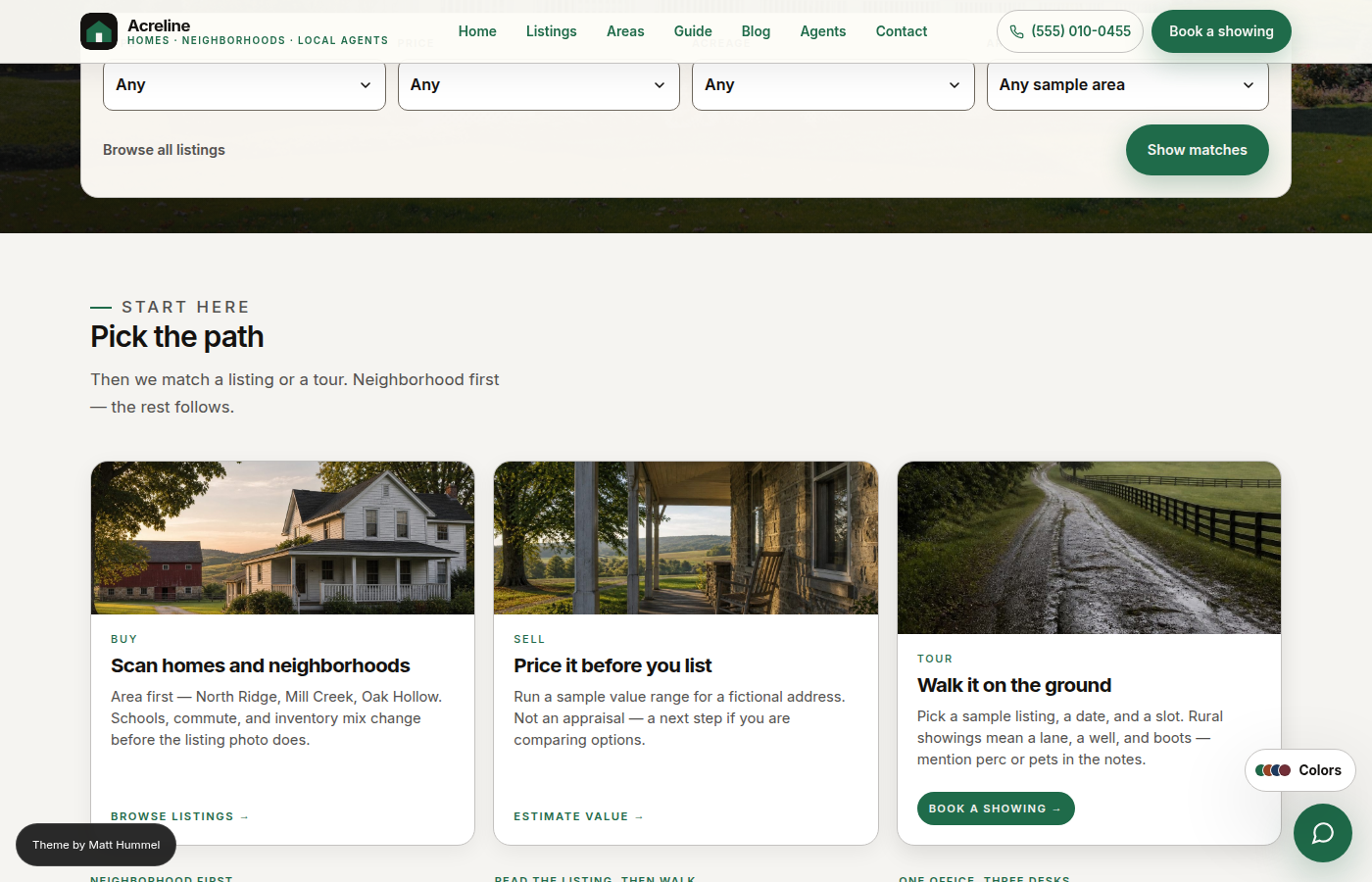
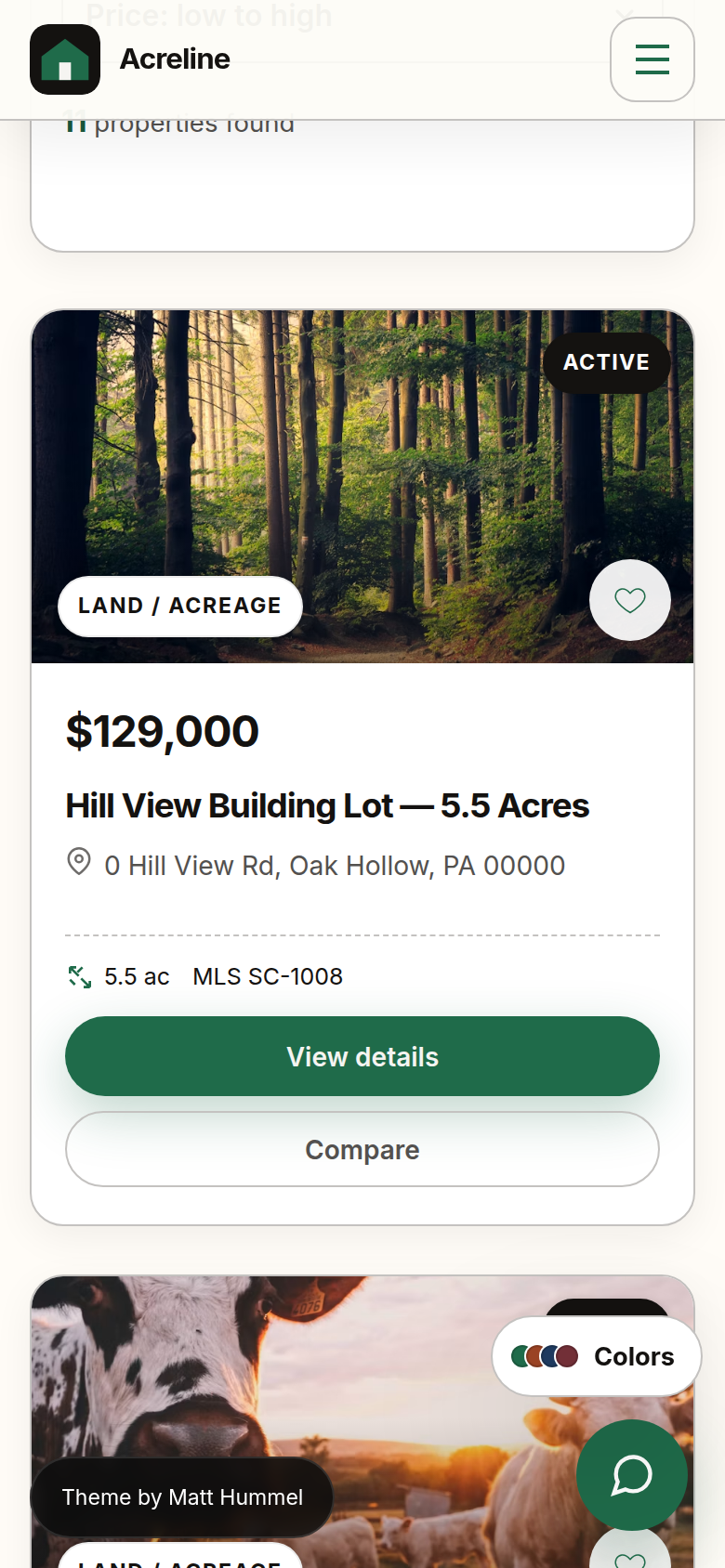
Acreline homepage — hero search, intent cards, featured listings
32
Custom Gutenberg blocks
8
Color style presets
3
CPTs (Listings · Agents · Bookings)
0
Required plugins

Everything an agent needs on day one, nothing a portal kit adds

One installable zip. No page builder license. No recurring API fees.

🏡
Listing CPT
Full metabox set: price, beds, baths, acres, type, status, MLS, photos, open house, virtual tour, floor plan, utilities, HOA, land data, green/smart chips.
👤
Agent profiles
Performance stats, designations, certifications, social links, intro video, calendar URL, awards — all in WP admin metaboxes.
📅
Showing requests
Booking CPT with a full pipeline: Requested → Confirmed → Completed. Buyer type, attendees, preferred contact, lead source.
⚖️
Compare listings
Full-screen side-by-side comparison modal. Compare up to 3 listings without leaving the page.
❤️
Saved listings
Heart icon saves any listing to localStorage. A floating button opens the slide-out saved drawer — no login required.
🧮
Mortgage calculator
Built into every listing detail page. Editable rate, term, and down payment. No plugin, no API key, no data sent anywhere.
📊
Market snapshot
Set median price, avg DOM, inventory, and YoY in Theme Settings. Embed anywhere with [acreline_market_snapshot].
📌
Sticky CTA bar
Price + "Book a showing" CTA sticks to the top of single listing pages after the hero scrolls out of view.
🔗
Share & print flyer
Web Share API with clipboard-copy fallback. Print layout generates a clean one-page PDF-ready property flyer.
🕐
Recently viewed
Last 5 visited listings tracked in localStorage and shown as chips at the bottom of each listing page.
📍
Nearby listings
Server-rendered section shows up to 3 active listings in the same township — no third-party API or map key required.
🔝
Top bar
Desktop announcement + contact bar above the header. Announcement, CTA pill, phone, email, social icons. Mobile content surfaces in the nav drawer automatically.
🎨
8 color styles
Forest · Clay · Navy · Burgundy · Harvest · Lake · Orchard · Charcoal. All swappable from Customizer → Colors with live preview.
🧱
Block Generator
Create custom content blocks without writing PHP or JS. Tools → Block Generator. Field types: text, textarea, URL, image picker, toggle.
🔍
Native SEO
Built-in <title>, <meta description>, Open Graph, Twitter, canonical, BreadcrumbList JSON-LD. Yields to Yoast / Rank Math automatically.
🔄
One-click updates
CI builds a theme zip on every push to main. Appearance → Update Theme installs it without touching your content.

Different from generic real-estate themes

Feature Acreline Typical real-estate themes
No page builder neededPage builder license often required
No ACF neededACF Pro often bundled or required
No IDX/MLS pluginIDX subscription often needed
32 custom Gutenberg blocksMost use Classic editor or shortcodes
Block Generator (no-code)Unique to Acreline
Listing comparison modalRare without paid add-ons
Saved listings (localStorage)Usually requires a plugin or login
Built-in mortgage calculatorUsually a plugin
Market snapshot shortcodeUsually a plugin
Open house + virtual tour fieldsOften paid add-ons
Agent performance statsRarely included
Top bar with mobile fallbackRarely included

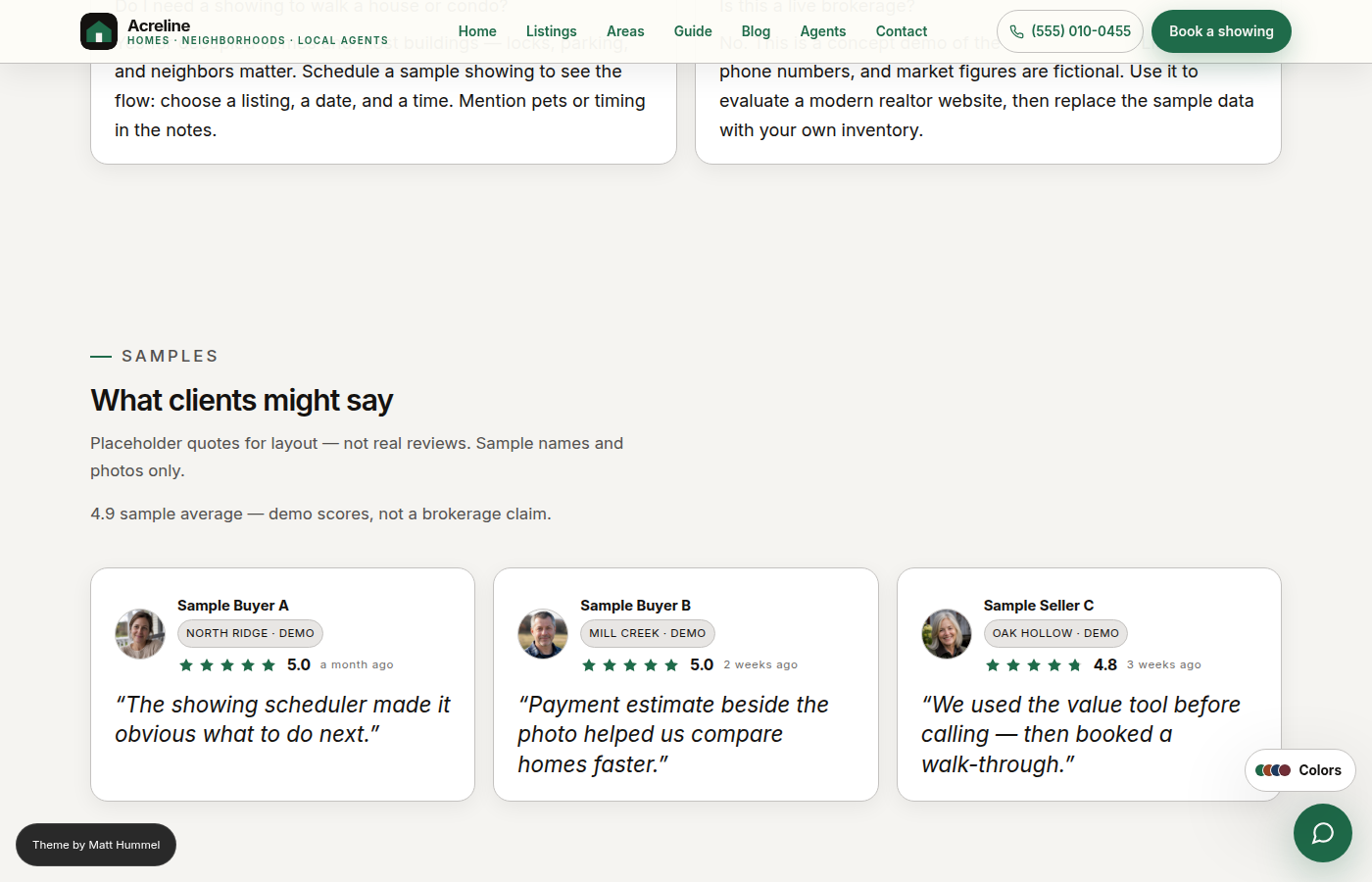
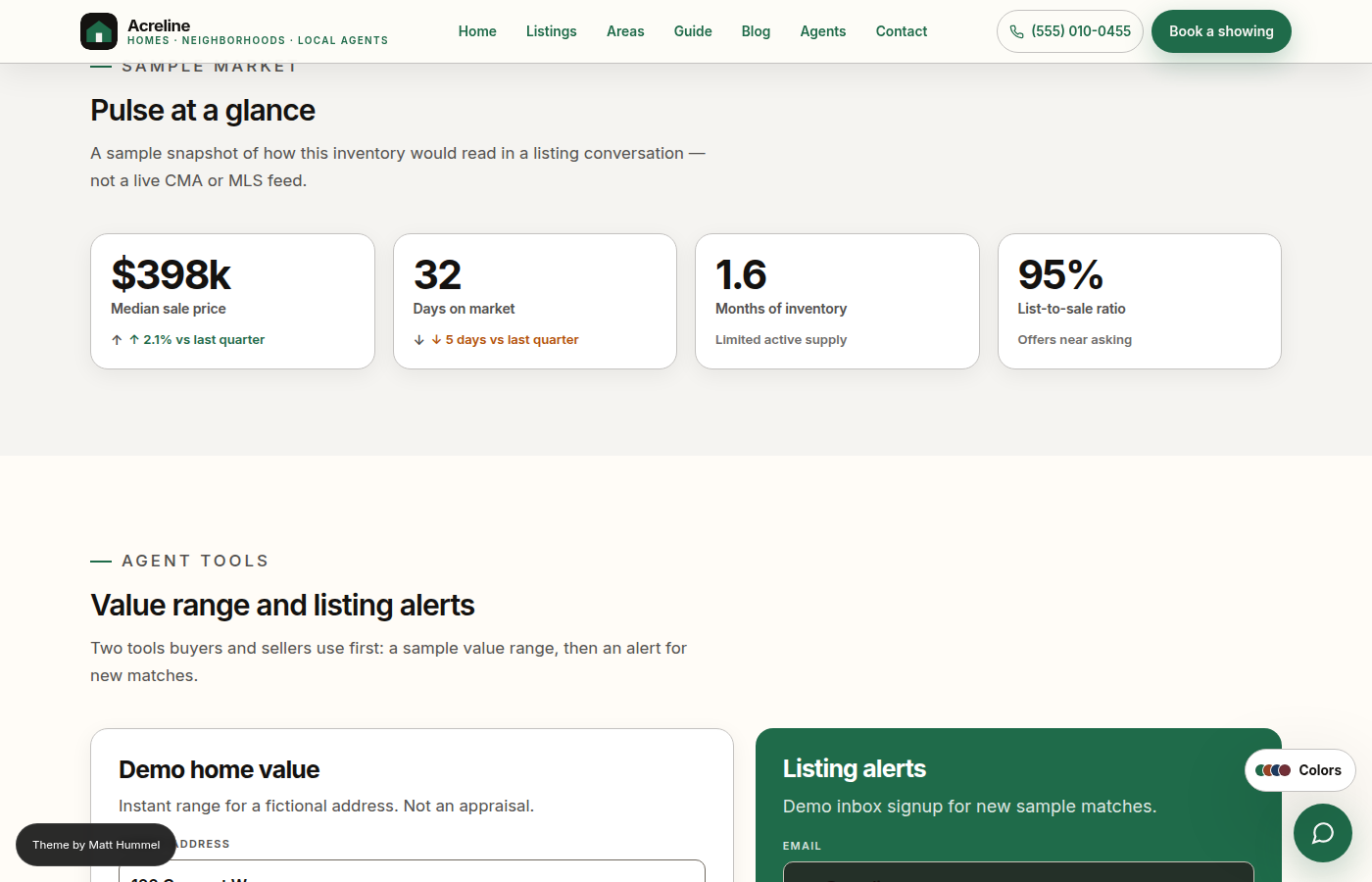
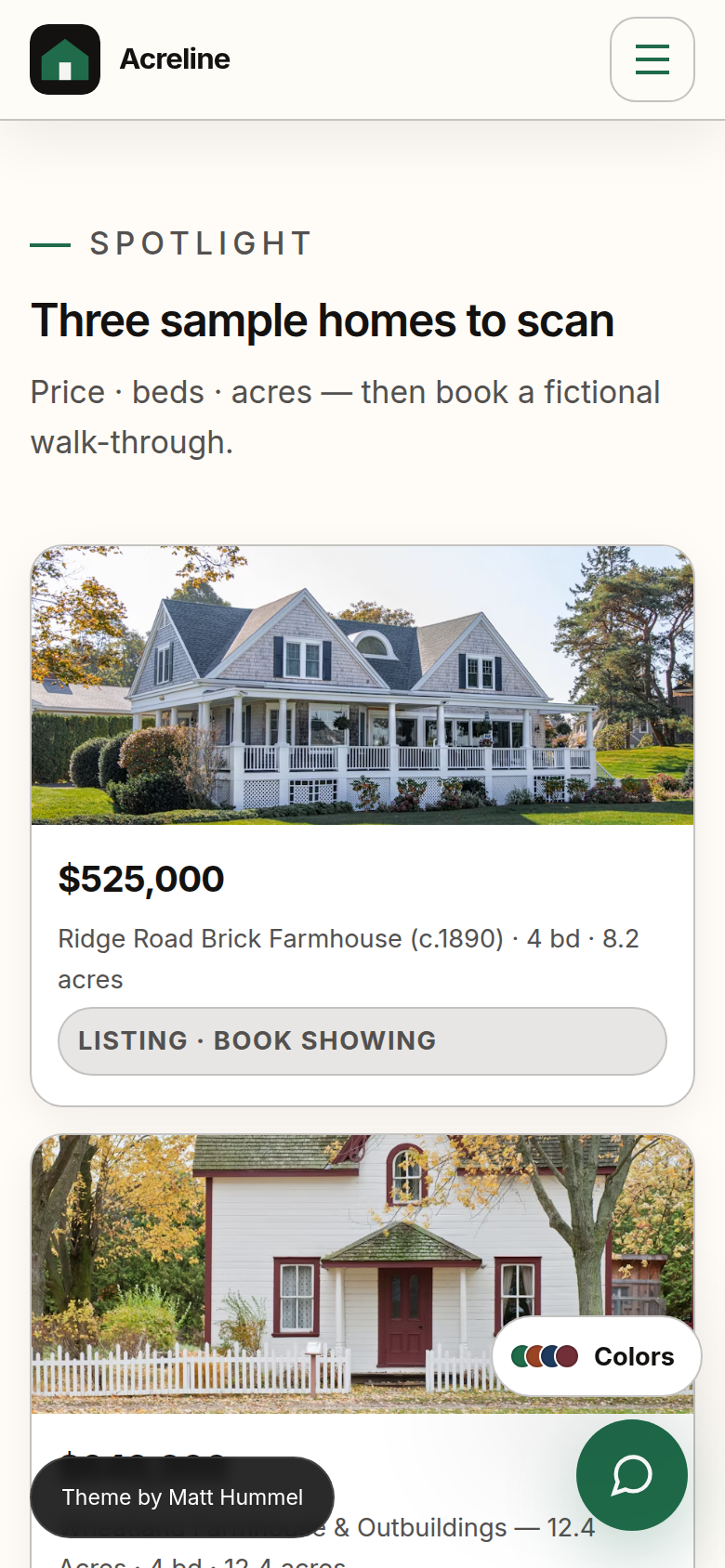
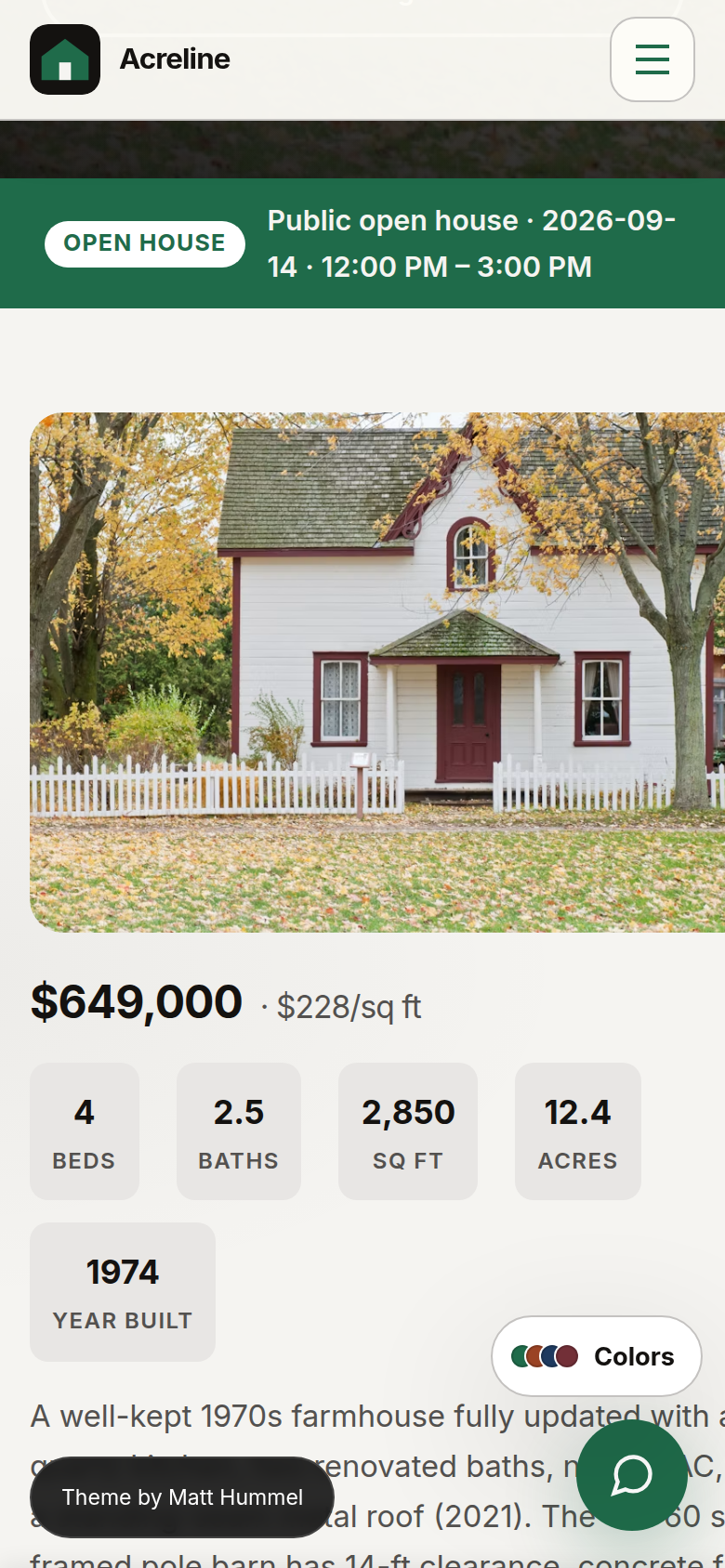
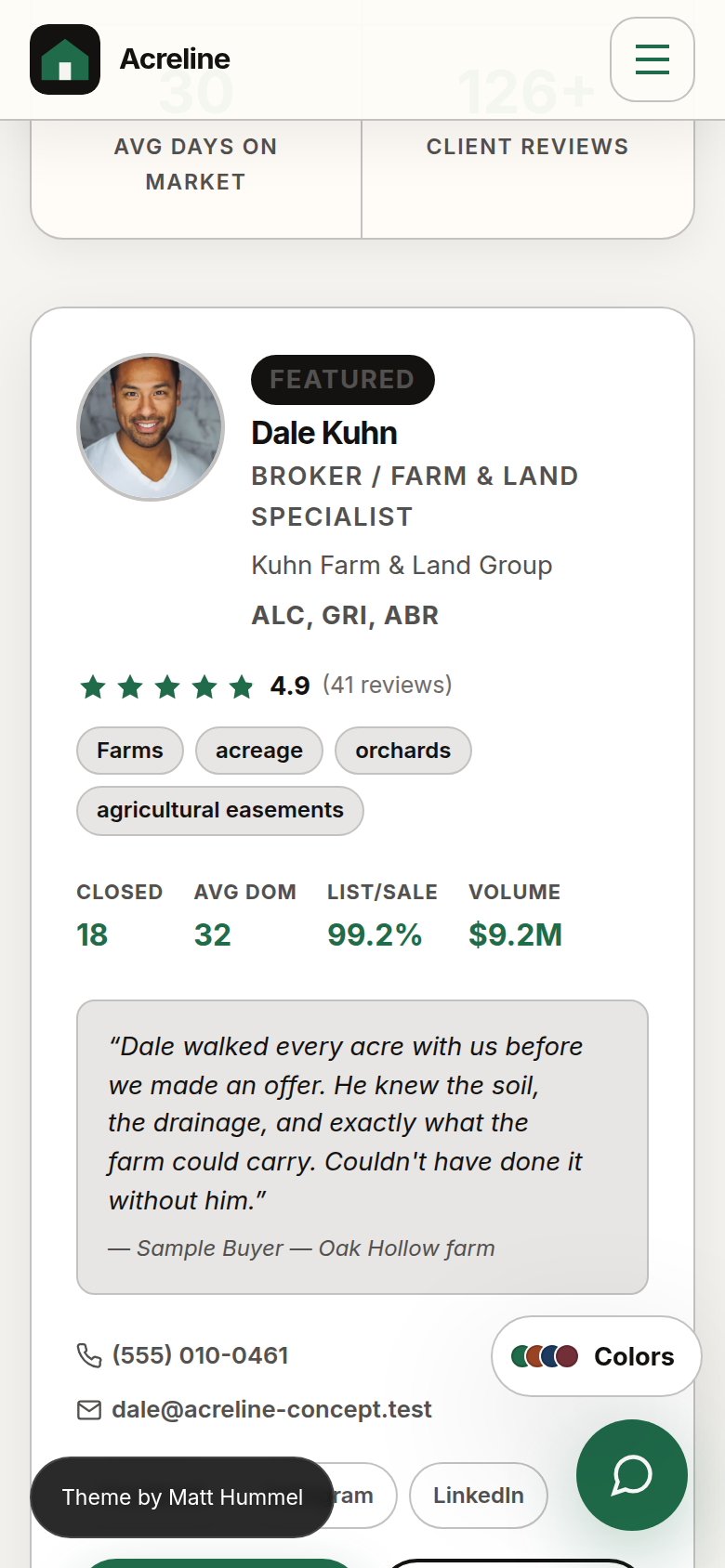
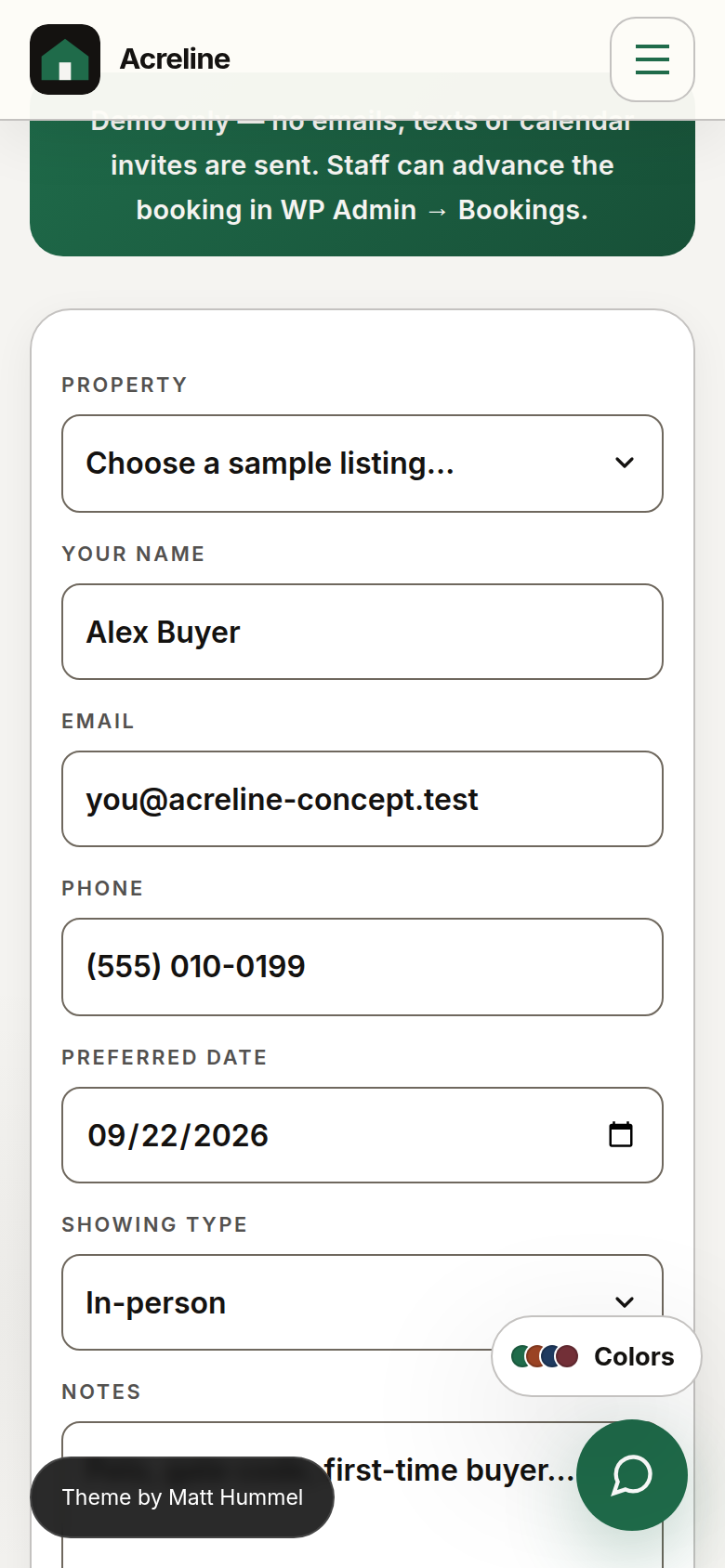
Captured from the concept demo

Every screenshot uses the seeded sample data. Listings, agents, and phones are fictional.

32 custom server-side blocks

Every marketing page is built with WordPress blocks. The editor canvas matches the live page exactly — no shortcodes, no page builder.

🔍
Home Hero
Full-width hero with integrated listing search — type, price, area
🖼️
Page Hero
Standard hero with photo, eyebrow, focal point, overlay, CTA buttons
🃏
Intent Cards
Buy / Sell / Tour three-card section with help notes and icons
Featured Listings Spotlight
Dynamic grid of featured listings pulled from the Listing CPT
📅
Booking Form Section
Showing request form with editable header and agent selector
📊
Market Stats
Four editable market stat tiles — median price, DOM, inventory, YoY
🗺️
How It Works
Four-step tour process with icons, numbers, and step copy
🛠️
Agent Tools
Home value estimator + listing alert forms side by side
🗾
Area Grid
Up to six area cards with photos, card styles, and a section CTA
🗺️
Region Coverage
Split map + neighborhood cards, or bento/grid; editable methods and CTAs
💲
Pricing Plans
Three service or retainer plans with a featured highlight
🏷️
Logo Strip
Partner or brokerage wordmarks with optional grayscale
📬
Newsletter
Email signup band — demo form, nothing is emailed
📢
CTA Band
Full-width CTA with two buttons; three backgrounds (light / accent / dark)
✍️
Intro Section
Eyebrow · title · lede copy with alignment options
🏘️
Listing Grid
Filter toolbar, card grid, and map view with all listing CPT data
🧮
Tools Section
Loan + pre-qualification calculators
💼
How We Work
Three-step office process; marker styles: numbered / checkmark / arrow / dot
📞
Office Info
Address, phone, email, hours pulled live from Customizer → Identity
✉️
Contact Form
Office info + message form side by side
FAQ List
Accordion, plain, or numbered format with list icon option
Reviews
Testimonial cards; configurable columns, photo, and star rating
📖
SEO Content Block
Buying-guide copy and scan cards for long-form pages
📋
Booking Note + Form
Standalone booking page note block + the full booking form
👥
Agent List
Agent grid with photo, performance stats, designations, social links from Agent CPT
🛡️
Trust Strip
Four contact commitments — reply time, specialist match, no obligation, privacy
Buyer Checklist
Numbered property checklist with optional CTAs
🥾
Showing Prep Checklist
Two-column buyer / agent prep lists for the booking page
📑
Area Compare Table
Side-by-side sample-market comparison table
🗂️
Topic Cards
Three scan cards for the blog index
📰
Post Grid
Blog post cards pulled from published posts, with pagination
Custom Block
Renders blocks created with the no-code Block Generator
Block Generator — Tools → Block Generator lets you create new content blocks without writing code. Name the block, pick an icon, add fields (text, textarea, URL, image picker, toggle). The new block appears in the editor immediately.

Listings, agents & showings

Three CPTs registered in the theme. All data entry is in native WP metaboxes — no page builder, no external form plugin.

🏡 Listing fields

CoreType, price, beds, baths, sqft, acres, township, MLS, status
PhotosFeatured image + media picker for all photo URL fields
DetailsYear built, lot size, style, condition, garage type, basement
UtilitiesWater, sewer, heating, cooling
ExtrasHOA monthly, school district, flood zone
LandTillable acres, pasture acres, outbuildings, lot features, view
Green / SmartEco-feature chips, smart home feature chips
Open houseDate, time, type (in-person / virtual)
ToursVirtual tour URL, video tour URL, floor plan image

📅 Booking pipeline

StatusRequested → Confirmed → Completed
ShowingDate, time, type, assigned agent
BuyerBuyer type, attendees, preferred contact method
OptionalFinancing status, lead source — controlled by Theme Settings → Bookings

👤 Agent fields

IdentityName, title, bio, photo (media picker)
StatsHomes sold, total volume, avg DOM, list-to-sale ratio, reviews count
CredentialsDesignations, certifications, awards
SocialFacebook, Instagram, LinkedIn, YouTube (toggleable from Theme Settings)
CalendarBooking URL (Calendly or any link)
MediaBio video URL (intro video on agent page)
TeamTeam name assignment

🗺️ Listing grid features

  • Filter by type, price, area, status
  • Grid and map views
  • Save to localStorage (heart icon)
  • Compare up to 3 side-by-side
  • Share via Web Share API or clipboard
  • Print property flyer (PDF-ready)
  • Recently viewed chips on detail pages
  • Nearby listings (same township, no API)
  • Sticky price + book CTA on scroll
  • Built-in mortgage calculator on every detail page

Everything a buyer sets day-to-day

No theme-options plugin. No custom admin metapage for site-wide settings. The standard WordPress Customizer with live preview.

Identity
Brand name, tagline, phone, email, address, hours, header CTA label + URL, footer blurb, fiction demo banner toggle, author credit toggle.
Site Identity
Custom logo upload (replaces the Acreline house mark). Site title and tagline for the browser tab.
Colors
Eight presets: Forest · Clay · Navy · Burgundy · Harvest · Lake · Orchard · Charcoal. Per-color accent, paper, and ink pickers for full control.
Header
Sticky toggle. Standard or compact header height. The header offset adjusts automatically when the top bar is active.
Top Bar ✨ New in 1.4.0
Enable toggle · color style (Dark / Accent / Light / Custom) · custom bg + text colors · announcement badge + message + link · CTA pill · show/hide phone, email, address, hours · social icon toggles · allow-dismiss.
Typography
Five font families (display, body, nav, button, mono). Base size 14–20 px. Heading weight 500 / 600 / 700.
Social links
Facebook · Instagram · YouTube · LinkedIn · X. Used in the footer, top bar social icons, and agent page social links.
GitHub
Fine-grained PAT for the one-click theme updater. Contents: Read is sufficient. Never stored in a file — lives in wp_options.

Desktop top bar

A configurable slim bar above the header. Desktop only — all active items surface automatically in the mobile nav drawer.

finyt
New Concept open house · Sat 10 am – 2 pm
(555) 010-0455 Book now ×
Home Listings Agents Contact
Top bar in context on the homepage
Left slot
Social icons
Centre slot
Announcement
Right slot
Phone · Email · Hours · CTA
Color styles
Dark · Accent · Light · Custom
Mobile
Hidden (nav drawer fallback)
Dismiss
sessionStorage

Three dedicated admin pages

Setup wizard, tabbed settings, and a quick-reference support page — all under Appearance.

Appearance → Acreline Setup
🪄 Setup Wizard
Five-step wizard runs on activation. Sets brand name, phone, colors, and optionally seeds demo listings, agents, and pages. Safe to re-run; each step is idempotent.
Appearance → Acreline Settings
⚙️ Theme Settings
Tabbed admin page with iOS-style toggles, sticky save bar, and unsaved-changes guard.
  • Listings — grid columns, card fields, detail page section toggles (open house, virtual tour, floor plan, utilities, HOA, land, eco, smart)
  • Agents — stats, social links, certifications, awards, video, team name, calendar button
  • Bookings — optional form fields
  • Market — median price, avg DOM, inventory, YoY for the shortcode
  • Labels — rename Township, Beds, Baths, Sq Ft, Acres, currency, CPT labels sitewide
  • General — mortgage calculator default rate, fiction disclaimer
Appearance → Acreline Support
🙋 Support Page
Quick start steps, feature reference cards, shortcode cheatsheet, FAQ accordion, changelog, and an About card with product-page, support, demo, and bug-report links. Everything a buyer needs without leaving wp-admin.

Up and running in minutes

No Composer. No npm. The zip ships with compiled assets and a production vendor/.

1
Extract the outer zip
Your purchase downloads acreline-*.zip. Extract it — do not upload the outer file directly into WordPress.
2
Upload the inner acreline.zip
Appearance → Themes → Add New → Upload Theme. Choose the inner acreline.zip and activate. The folder must stay acreline.
3
Run the Setup Wizard
Appearance → Acreline Setup. Five steps: brand name, phone, color style, optional demo content, done.
4
Fine-tune Identity
Appearance → Customize → Identity — phone, email, address, hours, header CTA, logo. These drive the header, footer, and booking form.
5
Enable the top bar (optional)
Appearance → Customize → Top Bar. Add an announcement, contact items, social icons, or a CTA pill — live preview included.
6
Upload optional extras
Upload acreline-child.zip (CSS that survives parent updates) and acreline-core.zip (listings that survive a theme switch).

What's in the seller pack

File / folderPurpose
acreline.zipUpload in Appearance → Themes
acreline-child.zipOptional child theme
acreline-core.zipOptional plugin — keeps listings if you switch themes
Documentation/HTML docs — open index.html first
Demos/Seed notes (Tools → Seed Acreline demo)
Licensing/GPLv2 notice and credits

System requirements

WordPress
6.6 or later
PHP
8.3 or later
Server
Apache or Nginx
Composer / npm
Not needed on host

One-click updates

CI builds a theme zip on every push to main. Set a GitHub PAT (Contents: Read) in Customizer → GitHub, then click Appearance → Update Theme.

Fiction only. Remove the seeded demo data before your site goes live. Listings, agents, phone numbers, and emails in the demo are concept content — not a real MLS or licensed brokerage.

Common questions

Can I use this with real MLS listings?
Yes — every listing is a WordPress CPT. Enter your actual property data in the metaboxes. The fictional demo data is pre-seeded for illustration only. Delete it before going live.
Does the mortgage calculator need an API key?
No. It runs entirely in the browser using standard amortization math. No third-party service, no API key, no tracking.
Can I rename "Township" to "County" or "Neighborhood"?
Yes — open Theme Settings → Labels and change the Township / area label. The new label appears on listing cards and detail pages immediately.
Where are showing requests stored?
Showing requests become Booking CPT posts in WordPress Admin → Bookings. No external CRM by default — all data stays in your database.
Does the top bar show on mobile?
The bar itself is hidden below 900 px. Everything you enable in the top bar — announcement, contact details, social icons, CTA — automatically surfaces at the foot of the slide-out mobile nav drawer so nothing is hidden from mobile visitors.
How do I update the theme after purchase?
Our CI workflow builds a fresh zip on every push to main. Paste a fine-grained GitHub PAT (Contents: Read) into Appearance → Customize → GitHub, then go to Appearance → Update Theme and click Install latest zip from GitHub. Pages and content are untouched.
Do I need ACF, Elementor, or a page builder?
No. Listing, agent, and booking fields are all native WordPress metaboxes. Pages are built with 32 custom Gutenberg blocks. No page builder is required or recommended.
What plugins are required?
None. The theme zip is self-contained. Optional Acreline Core keeps listings if you ever switch themes. Optional Acreline Child lets you add custom CSS that survives parent updates. No other plugins are needed.

Need help?

Full documentation ships inside the seller pack. Buyer support and bug reports are available at the links below.

Inside your pack: Open Documentation/index.html first. It has install screenshots, the full Customizer reference, custom field tables, child theme setup, and the changelog — everything a reviewer or buyer needs.